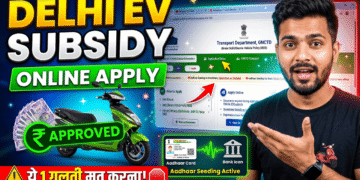








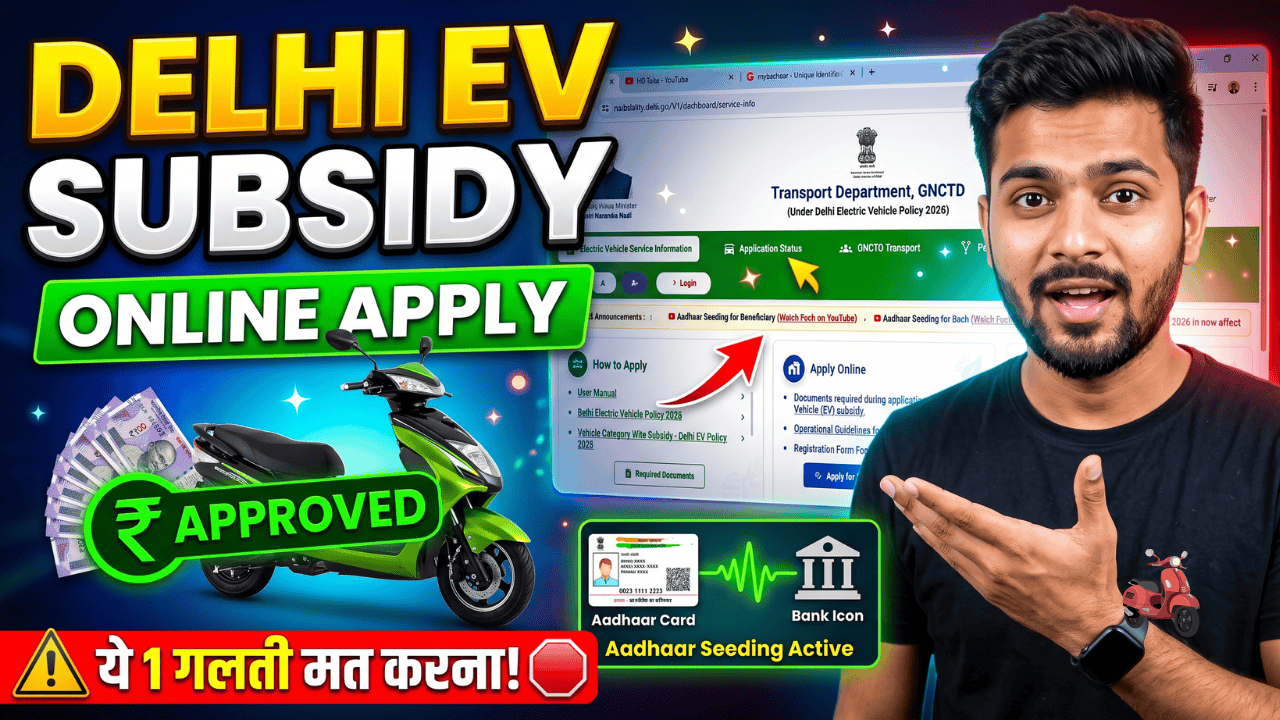
Did you recently purchase an electric scooter or bike in Delhi? Under the Delhi Electric Vehicle Policy, buyers are eligible for direct subsidies to make green transport affordable.
However, many buyers apply on the portal but never receive the subsidy in their bank account. The money gets blocked not because their application was wrong, but because of one critical backend mistake related to their bank account setup.
In this guide, you will learn the exact step-by-step process to apply for the Delhi EV subsidy online, how to upload your documents correctly, how to track your application status, and how to fix the primary mistake that stops subsidy payments.
Documents Required Before You Apply
Keep scanned PDF copies of the following documents ready before opening the government portal:
- Vehicle Registration Certificate (RC): Scanned copy showing both the front and back sides.
- Aadhaar Card: A clear copy of your Aadhaar card.
- Voter ID Card: Scanned copy of your voter identification card.
- Certificate of Deposit (Optional): Required only if you scrapped an old petrol/diesel vehicle to claim an extra scrapping incentive.
Important File Size Rule: Every document must be in PDF format and strictly under 300 KB. If your files are larger, use an online PDF compression tool to reduce the file size before uploading.
Step-by-Step: How to Apply for Delhi EV Subsidy Online
Follow these exact steps to submit your electric vehicle subsidy application through the official transport portal:
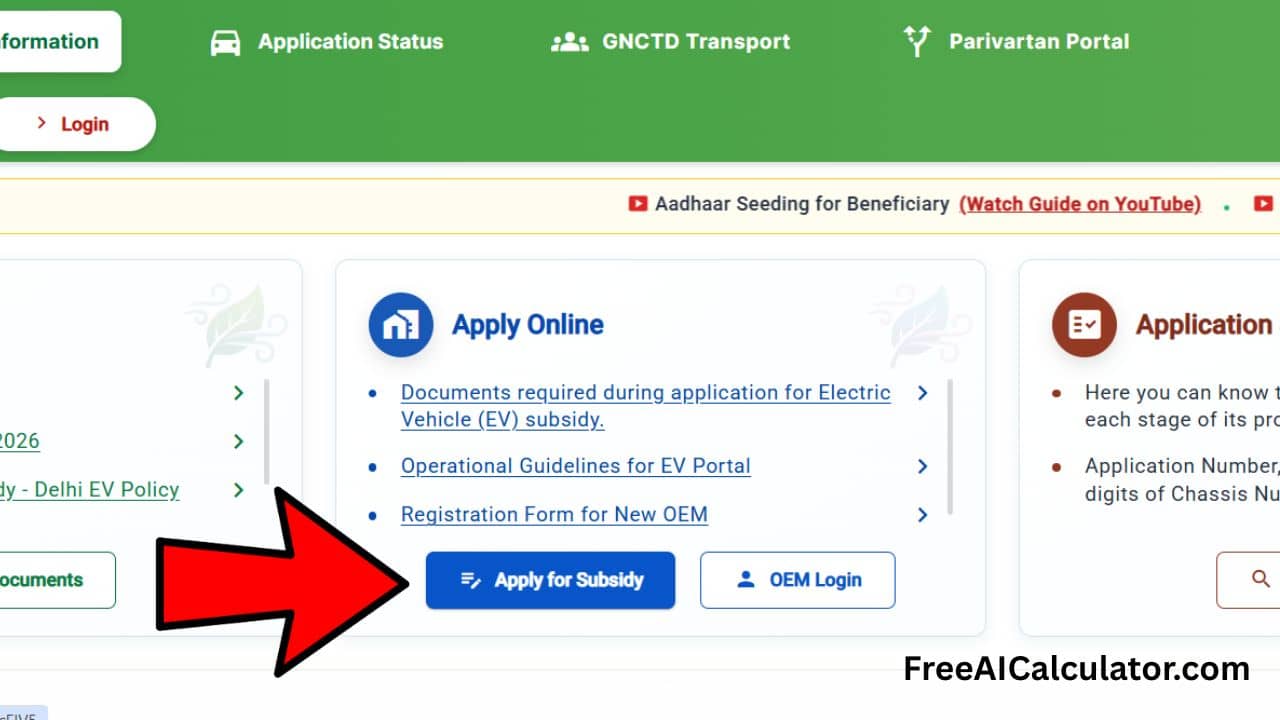
Step 1: Access the Delhi EV Portal
- Visit the official Delhi Transport Department EV website:
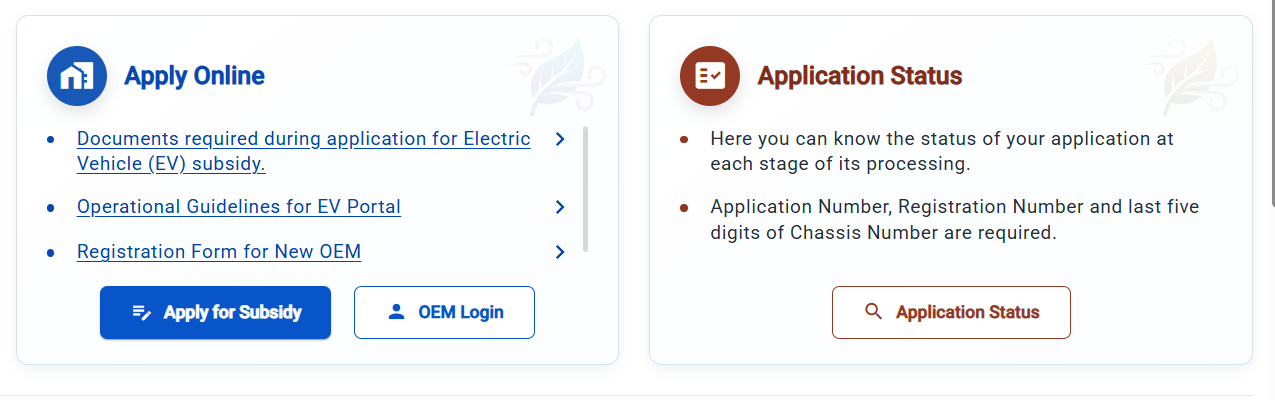
evsubsidy.delhi.gov.in - On the homepage, locate the Apply Online card.
- Click on the blue button labeled Apply for Subsidy.
Step 2: Enter Vehicle Details and Authenticate
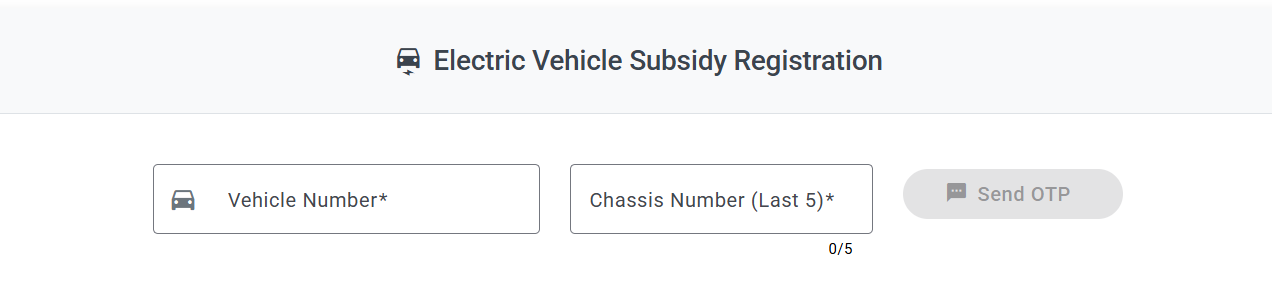
- You will be redirected to the Electric Vehicle Subsidy Registration page.
- Enter your Vehicle Number (e.g., DL1S…).
- Enter the last 5 digits of your Chassis Number (you can find this on your RC).
- Click on Send OTP.
- Enter the OTP sent to the mobile number registered with your vehicle RC.
- Click Submit.
Step 3: Verify Auto-Populated Vehicle Information
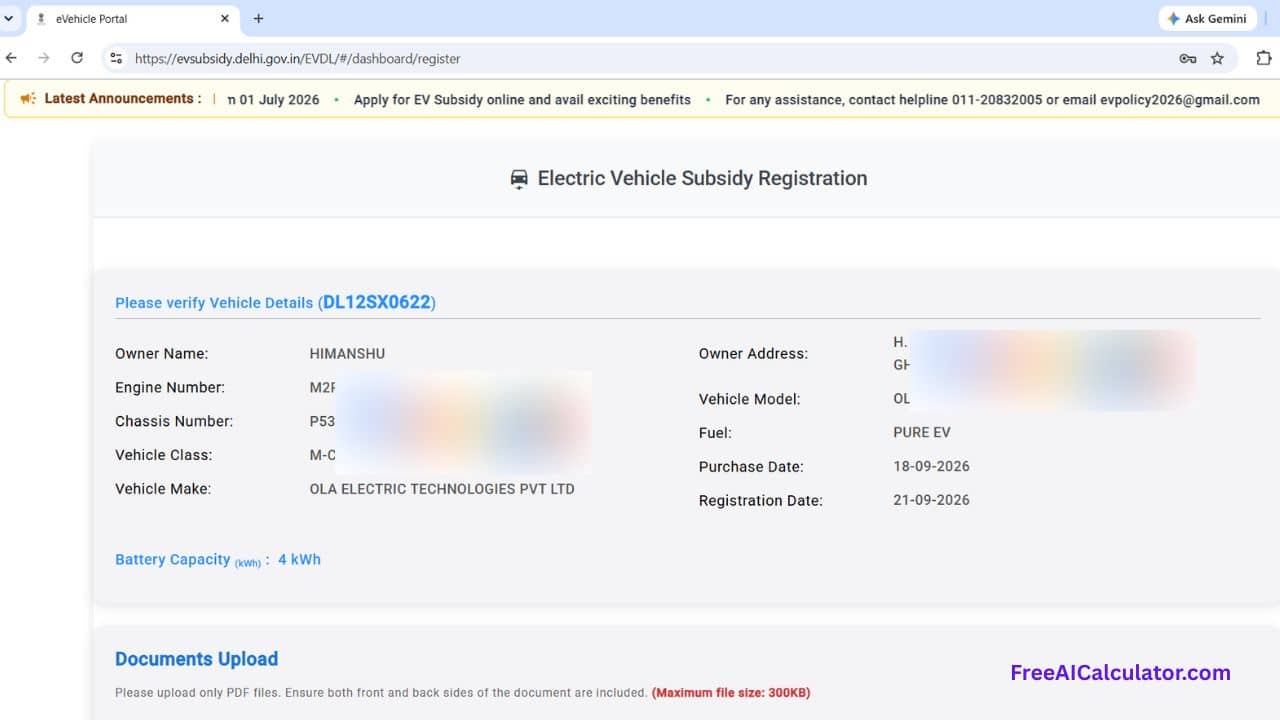
Once verified, the portal automatically fetches your vehicle records from the Parivahan database:
- Owner Name
- Engine & Chassis Numbers
- Vehicle Class & Model (e.g., Ola Electric, Ather, TVS)
- Battery Capacity (e.g., 3 kWh or 4 kWh)
- Purchase & Registration Dates
Check every detail carefully to ensure there are no spelling errors or mismatches.
Step 4: Upload Required Documents
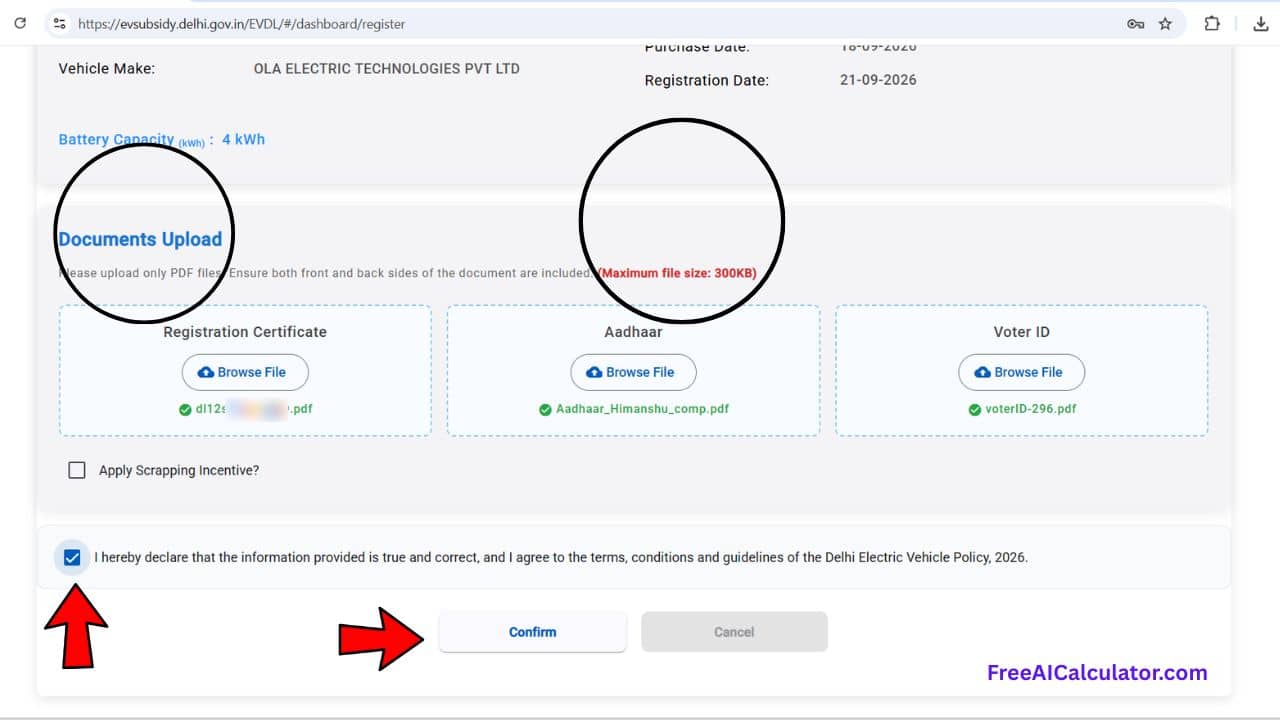
Scroll down to the Documents Upload section:
- Registration Certificate: Click Browse File and select your combined front-and-back RC PDF (under 300 KB).
- Aadhaar: Upload a clean scanned copy or an e-Aadhaar PDF.
- Voter ID: Upload a scanned copy of your Voter ID PDF.
- Scrapping Incentive (Optional): If you scrapped an old vehicle, check the box labeled Apply Scrapping Incentive? and enter your Certificate of Deposit Number. If not, leave this unchecked.
Step 5: Accept Declaration and Submit
- Check the declaration box: “I hereby declare that the information provided is true and correct…”
- Click the Confirm button.
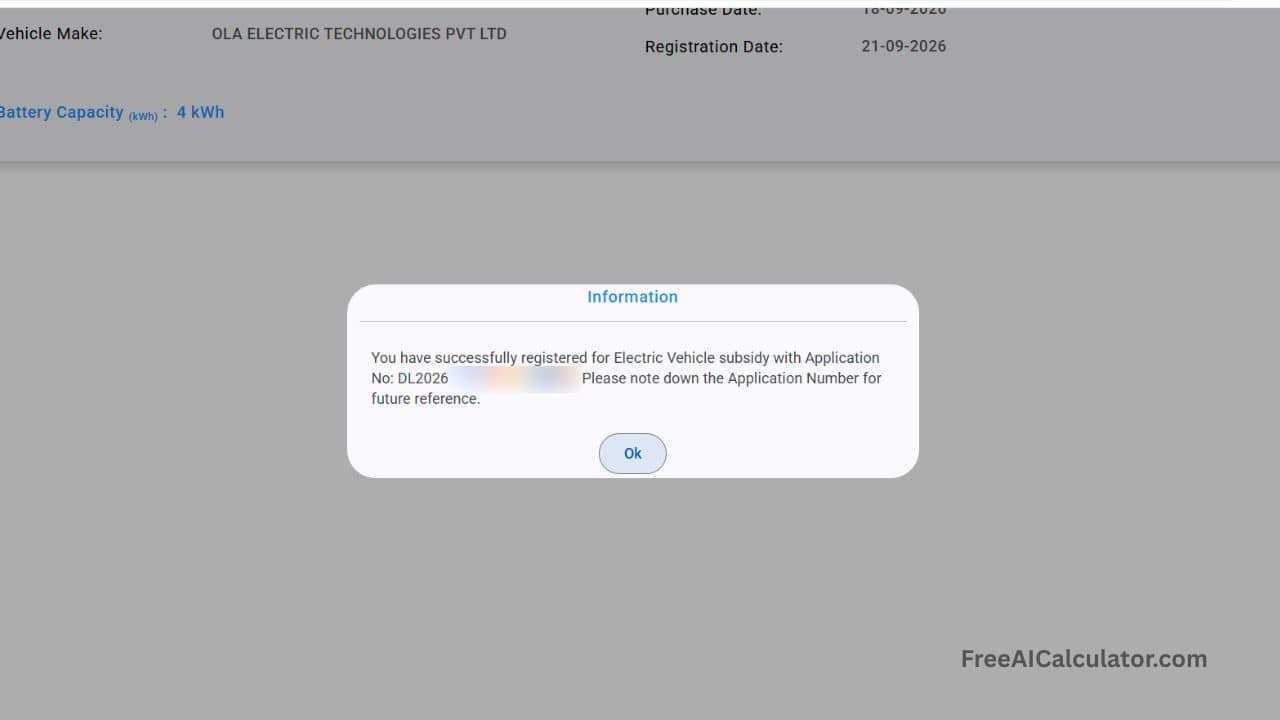
- A confirmation dialog will appear showing your Application Number (e.g.,
DL202...). - Note down or screenshot this application number for future reference, then click OK.
The Big Mystery: Why Did the Portal Not Ask for Bank Account Details?
You might notice that throughout the application process, the portal never asked for your Bank Account Number, Bank Name, or IFSC Code.
How will the Delhi government send your subsidy money?
The Delhi government processes all EV subsidy payments via Direct Benefit Transfer (DBT) using the Aadhaar-Based Payment System (ABPS). Instead of sending money to a specific bank account number, the government transfers funds directly to your Aadhaar number, and the National Payments Corporation of India (NPCI) routes it to whichever bank account is actively linked to it.
This brings us to the single biggest reason why payments fail.
The #1 Mistake: Aadhaar Linking vs. Aadhaar Seeding
Most people assume that because their Aadhaar is linked to a bank account, everything is fine. Linking is not the same as Seeding.
- Aadhaar Linking: Your Aadhaar is simply used for KYC compliance inside your bank branch.
- Aadhaar Bank Seeding (NPCI Mapping): Your bank account is registered with the central NPCI mapper to receive direct government subsidies.
Where People Lose Their Subsidy:
If you had an old bank account in college or at a previous job that is now dormant, frozen, or closed, your Aadhaar might still be mapped to that dead account. When the transport department releases your ₹10,000 to ₹30,000 subsidy, the payment bounces because it attempts to deposit into an inactive account.
How to Check Your Aadhaar Bank Seeding Status Online
To make sure your EV subsidy does not get stuck, verify which bank account is actively seeded with your Aadhaar:
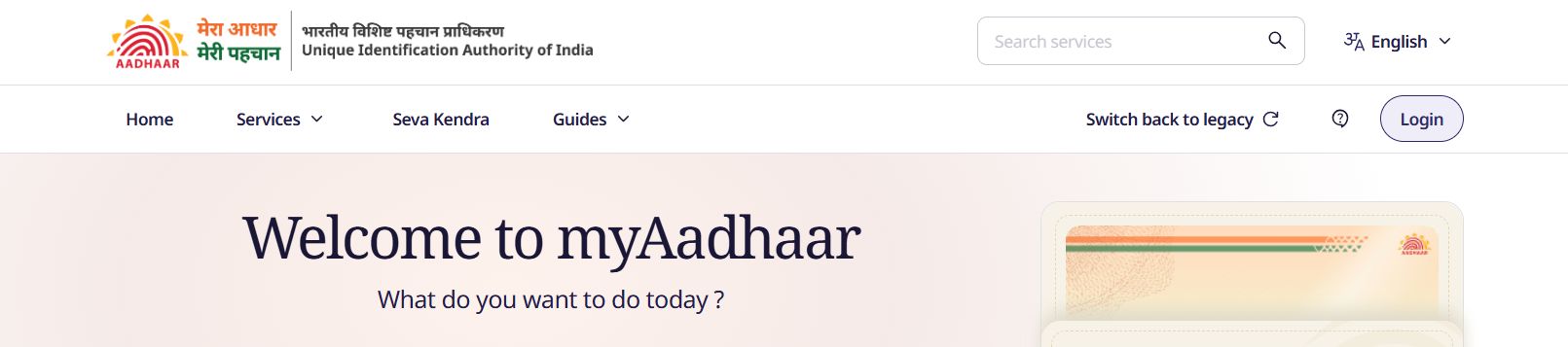
- Go to the official UIDAI resident portal:
https://myaadhaarbeta.uidai.gov.in. - Click Login and authenticate using your Aadhaar number, CAPTCHA, and mobile OTP.
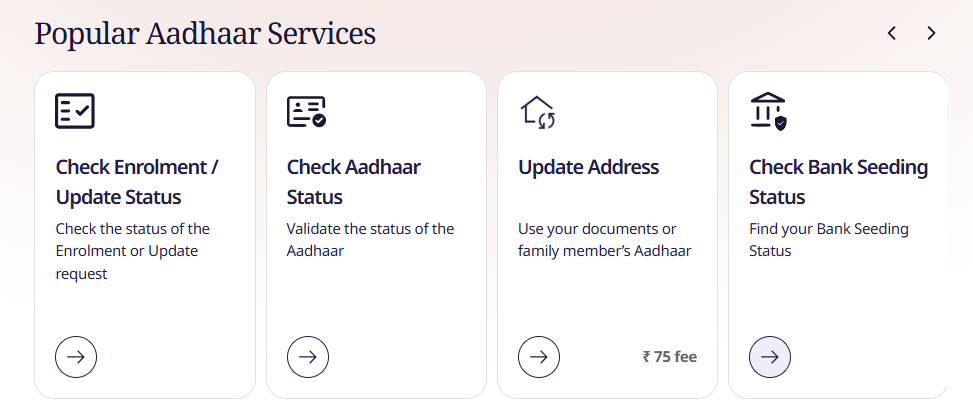
- Once logged into your dashboard, scroll to the Popular Aadhaar Services section.
- Click on Check Bank Seeding Status.
- Check the displayed details:
- Bank Name: The bank currently set to receive government DBT payments.
- Bank Seeding Status: Must show Active.
- Last Updated Date: Shows when the account was seeded.
What to do if it shows an old or closed bank account?
Immediately visit your active bank branch (e.g., SBI, HDFC, PNB) and submit an Aadhaar DBT Seeding Mandate Form to map your primary running account to NPCI. Many major banks also allow you to update DBT seeding directly via net banking or mobile apps.
How to Track Your Delhi EV Subsidy Status
After submitting your application, processing typically takes between 4 to 8 weeks (1 to 2 months) because documents are verified at both the dealer and transport department levels.
To track your application progress:
- Visit
evsubsidy.delhi.gov.in - Click on the Application Status tab.
- Enter your Vehicle Registration Number.
- Click Check Status.
- The tracking window will display:
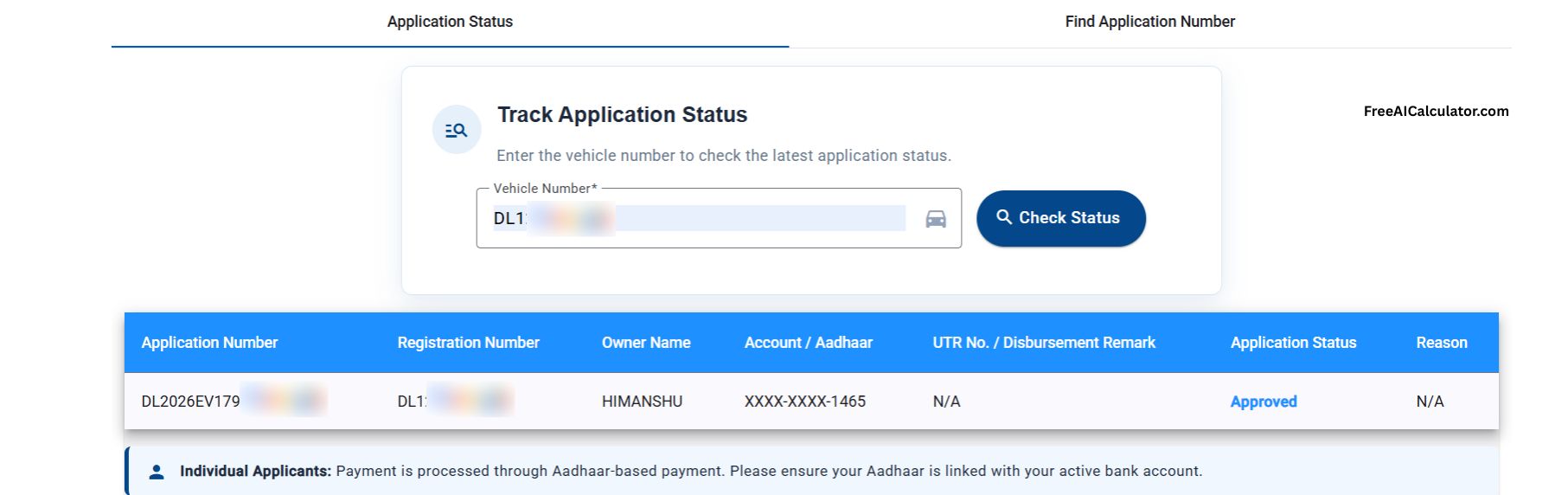
- Application Number & Owner Name
- Aadhaar Masked Number (e.g., XXXX-XXXX-1465)
- Application Status (e.g., Under Process, Not Verified, or Approved)
- UTR No. / Disbursement Remark (populated once the payment is released)
Frequently Asked Questions (FAQs)
How much subsidy do you get on electric 2-wheelers in Delhi?
Under the Delhi EV Policy, eligible electric two-wheelers typically qualify for a purchase incentive based on battery capacity (commonly ₹5,000 per kWh of battery capacity, capped up to ₹30,000 per vehicle), along with road tax and registration fee waivers.
How long does it take for the Delhi EV subsidy to arrive?
Under normal processing timelines, the subsidy is credited within 30 to 60 days following successful document verification by the transport department.
Can I change my bank account after applying for the subsidy?
Because the portal uses Aadhaar-based DBT payment rather than an account number, you do not need to update the EV portal. You only need to ensure your active bank account is mapped via the NPCI Aadhaar seeding mapper through your bank.
What should I do if my document upload fails on the portal?
Ensure each file is in PDF format and does not exceed 300 KB. Clear browser cache, use Google Chrome on desktop, and upload high-resolution, unblurred scanned copies.


